
Manual for registration
1.please download 'GOOGLE CHROME' for easy translation
2. Translate if you needed
3.After accessing factoryuse.com, click 'login' in the upper right corner. Then click 'new registration'.
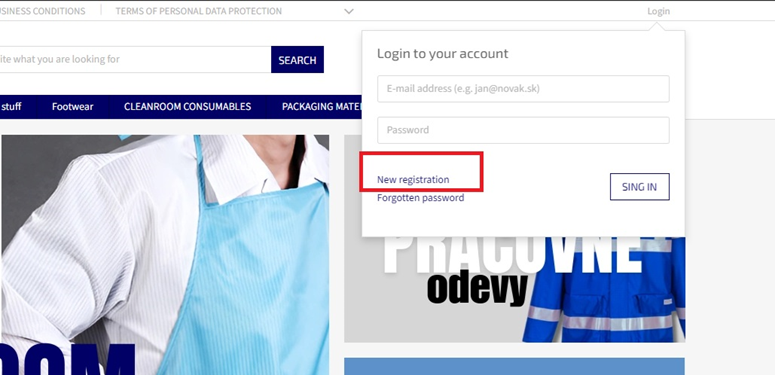
4.
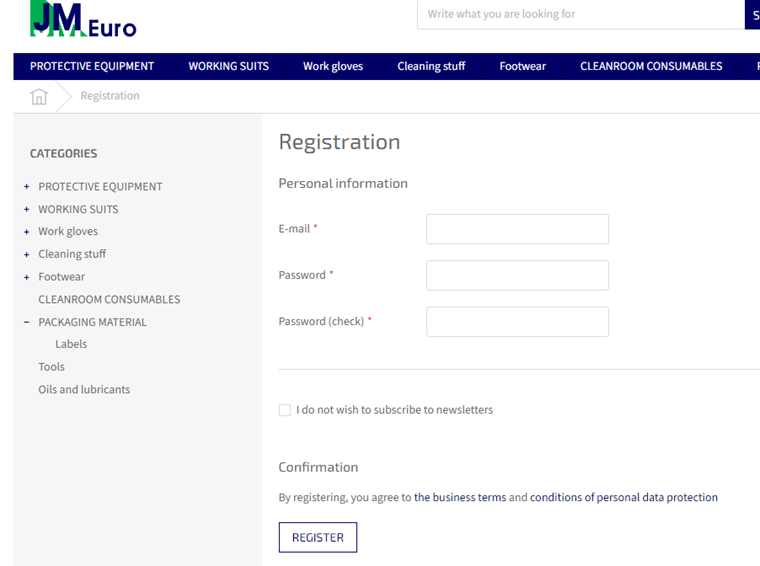
5.
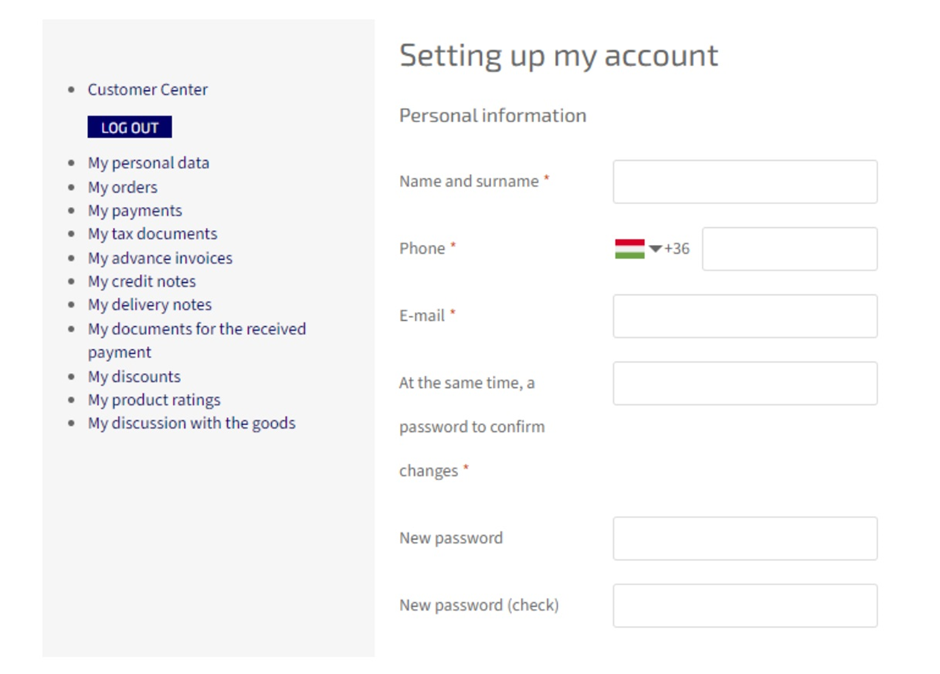
6. and also ' click' i am ordering for a company. and you can see as below detail form. at first you can select State: Slovakia(default) or Hungary, Czech, Poland, Austria and then you can fill it up other blank
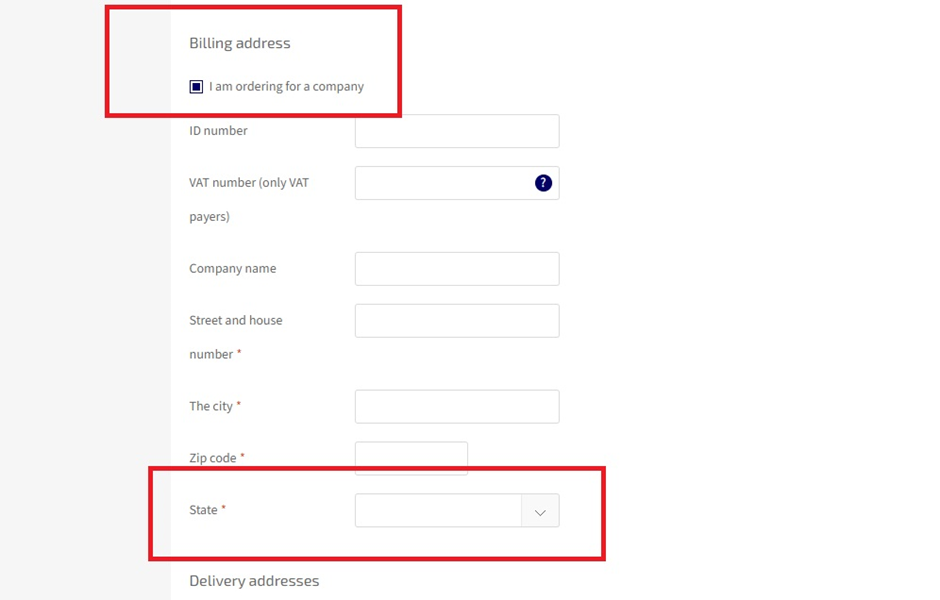
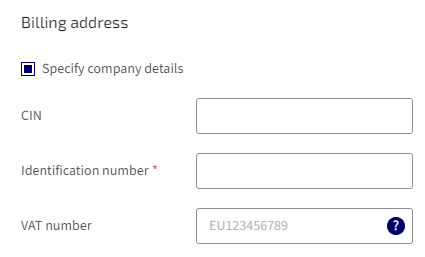
1) Company Identification Number (CIN)
This is your official company registration number from your national business registry. Different countries use different names, but the meaning is the same.
Hungary (HU)
-
Local name: Company Registration Number (Cégjegyzékszám)
-
Format: 01-09-876543
-
Where to find it: Company registration certificate, Hungarian Company Registry
Poland (PL)
-
Local name: KRS Number (for companies registered in the National Court Register)
-
Format: 0000123456
-
Where to find it: KRS extract, company registration documents
What to enter: Your official company registration number (Cégjegyzékszám or KRS).
2) Identification Number
This is your general company ID used for tax or administrative identification. Each country uses a different system.
Hungary (HU)
-
Local name: Tax Number (Adószám)
-
Format: 12345678-2-42
-
Used for: Tax identification inside Hungary
Poland (PL)
-
Local name: NIP (Tax Identification Number)
-
Format: 123-45-67-890
-
Used for: Domestic tax identification
What to enter: Your national tax identification number (Adószám or NIP).
3) VAT Number (EU VAT ID)
This is your EU VAT registration number used for cross‑border trade inside the European Union. It always starts with the country code.
Hungary (HU)
-
VAT Number: HU12345678
Poland (PL)
-
VAT Number: PL1234567890
What to enter: Your VAT number including the country code (HU / PL).
If your company is not VAT registered, enter: “Not VAT registered”
7. for delivery address, please click as above ' add a new address' and then you can select State(country) at first and then remaining detail for delivery you can put it on and finally click to button ' TO SEND'
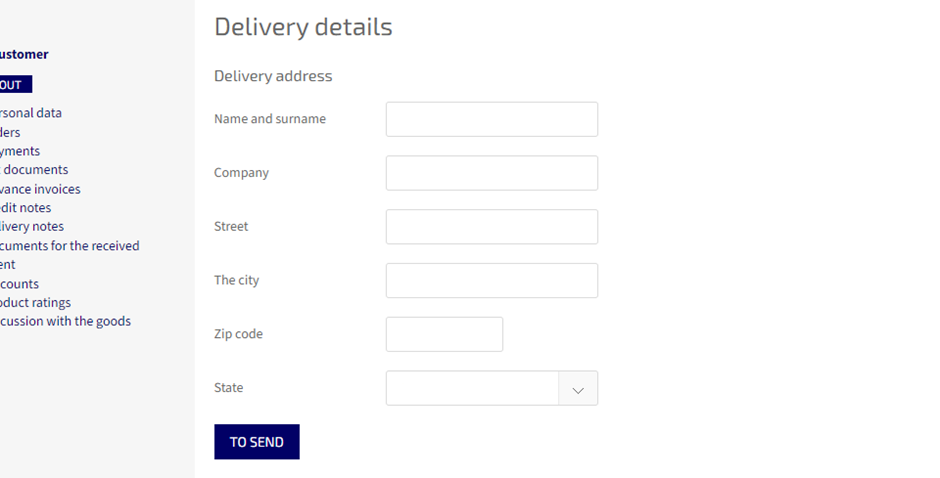
8. and then you can automatically be logged-in and it's ready to order.