
Manual for registration
1
Použijte prohlížeč Google Chrome
Použijte Google Chrome pro automatický překlad. Stáhněte si ho zdarma na chrome.google.com.
💡 Klikněte na ikonu překladu v adresním řádku Chrome a vyberte jazyk.
↓
2
Přejděte na stránku → Login → New registration
Navštivte www.factoryuse.com, klikněte na Login (vpravo nahoře), poté na New registration.
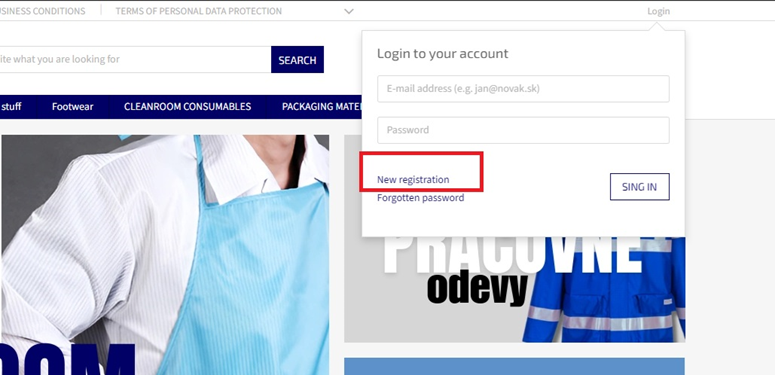
▲ Vpravo nahoře: Login → New registration
↓
3
Zadejte základní údaje
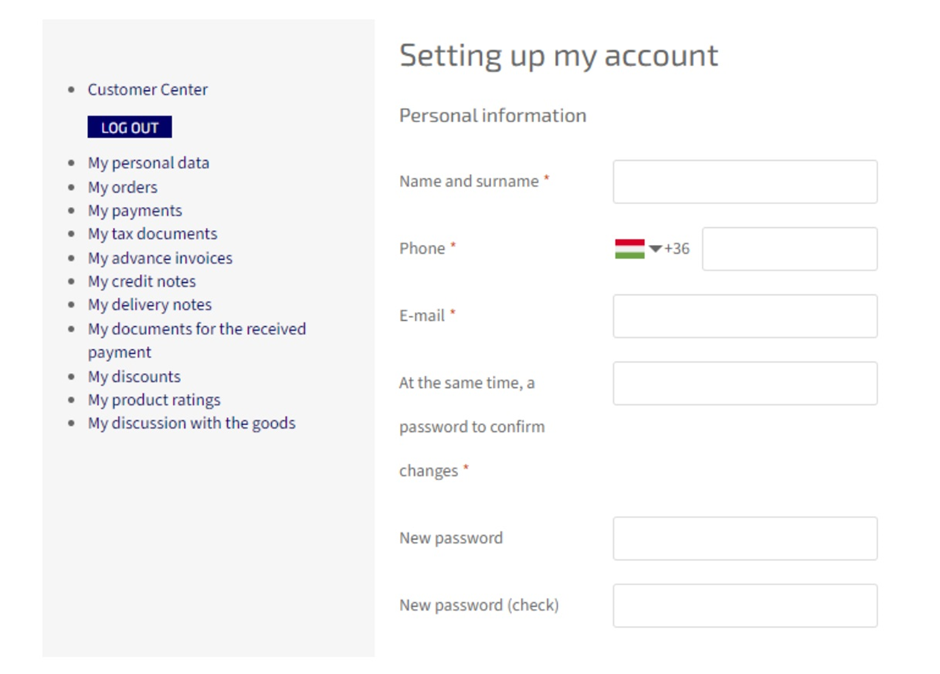
Vyplňte: Jméno (First name), Příjmení (Last name), E-mail, Heslo (Password), Telefon (Phone).
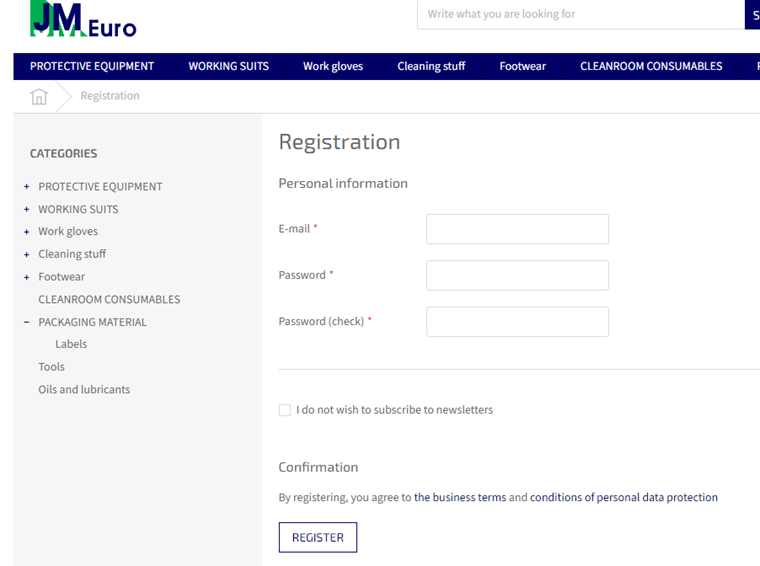
▲ Formulář se základními údaji
↓
4
Souhlas s obchodními podmínkami
Zaškrtněte políčko Terms & Conditions a pokračujte na další krok.
▲ Zaškrtněte souhlas s podmínkami
↓
5
Firemní objednávka + firemní údaje
Zaškrtněte "I am ordering for a company". Nejprve vyberte zemi (State), poté vyplňte název firmy, IČO, adresu...
⚠️ Vždy nejprve vyberte zemi (State) — jinak se ostatní pole nezobrazí správně!
🇸🇰 Slovakia (default) 🇭🇺 Hungary 🇨🇿 Czech Republic 🇵🇱 Poland 🇦🇹 Austria
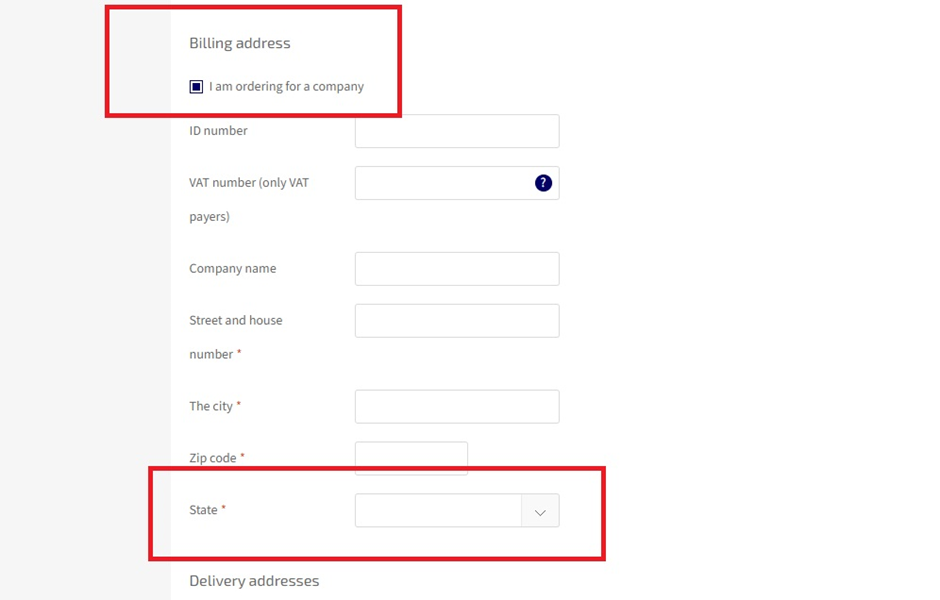
▲ Zaškrtněte firmu → vyberte zemi → vyplňte údaje
↓
6
Doručovací adresa
Klikněte na + Add a new address, vyberte zemi, vyplňte doručovací adresu a klikněte na TO SEND.
📦 Pokud je doručovací adresa stejná jako firemní, tento krok přeskočte.
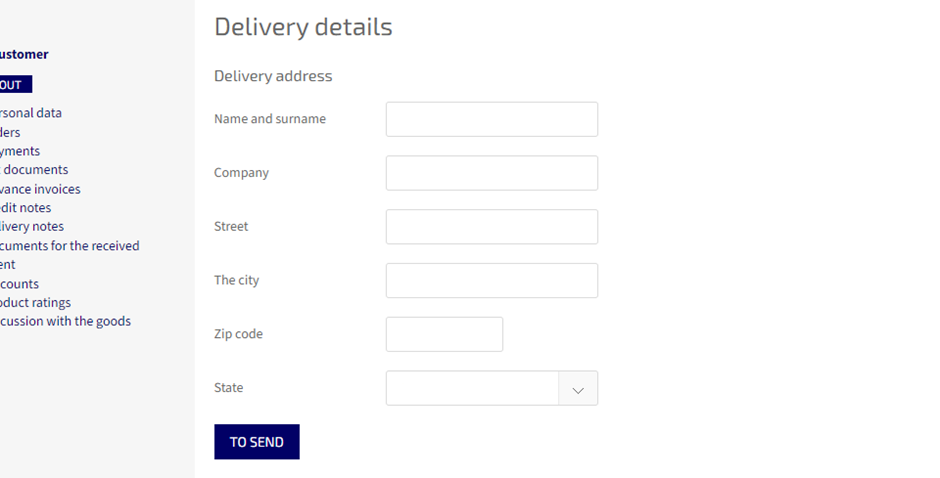
▲ Přidejte doručovací adresu → TO SEND
↓
✅
Registrace dokončena!
Jste automaticky přihlášeni a můžete ihned objednávat.