
Manual for registration
Registration Manual
factoryuse.com · B2B Industrial Supply
MRO Solution · factoryuse.com
Follow the steps below — done in 5 minutes!
1
Click Login → New registration
Click Login (top right). In the login window, click New registration (below the sign-in fields).
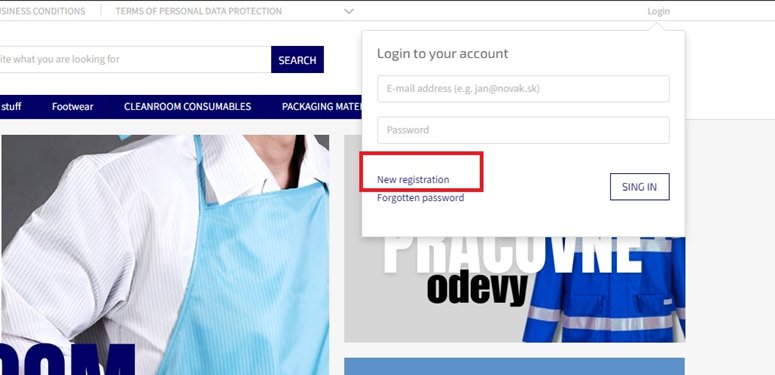
▲ Login window → click "New registration"
↓
2
Create your account
Enter your E-mail, Password and Password (check). Agree to the business terms, then click REGISTER.
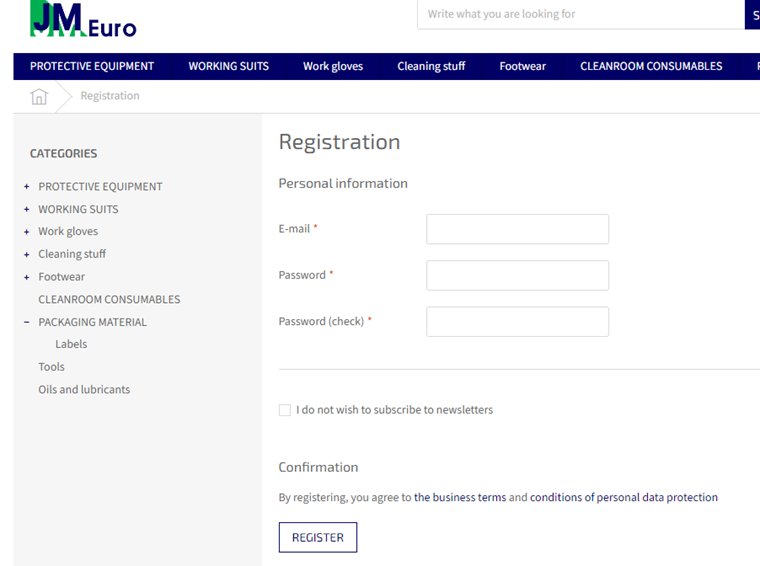
▲ E-mail, Password, Password (check) → REGISTER
↓
3
Complete personal information
Fill in your account details:
- Name and surname
- Phone — select country code (e.g. +421), then enter number
- E-mail (pre-filled)
- New password / New password (check) — only if changing password
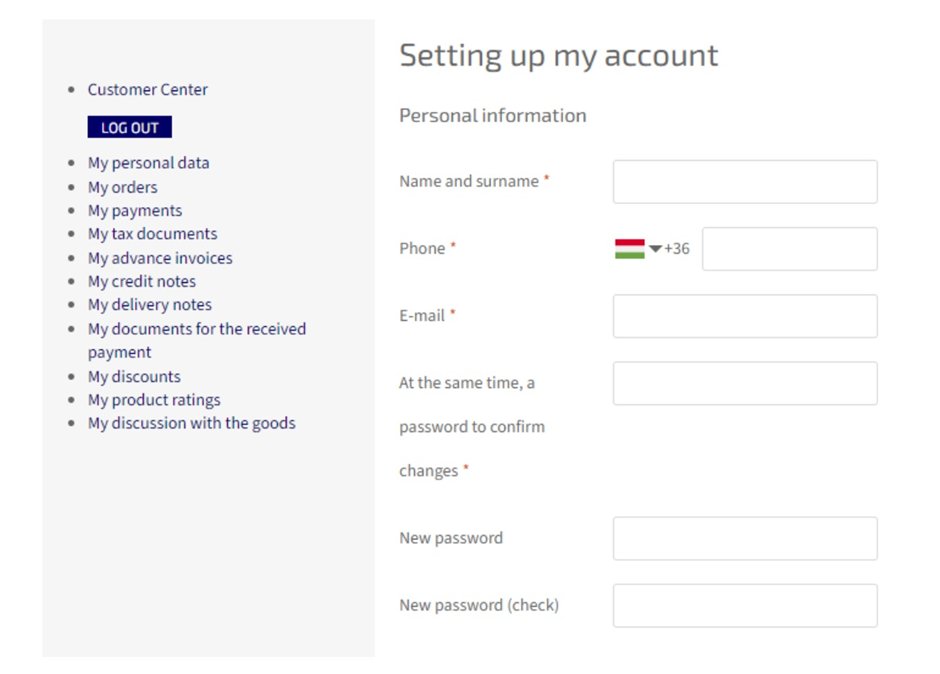
▲ Name, Phone, E-mail, Password fields
↓
4
Billing address + company details
Under Billing address, check "I am ordering for a company". Fill in:
- ID number — company registration number
- VAT number — VAT ID (only for VAT payers)
- Company name
- Street and house number, The city, Zip code
- State — select your country
⚠️ The State field is required — make sure it is selected before submitting!
🇸🇰 Slovakia (default) 🇭🇺 Hungary 🇨🇿 Czech Republic 🇵🇱 Poland 🇦🇹 Austria
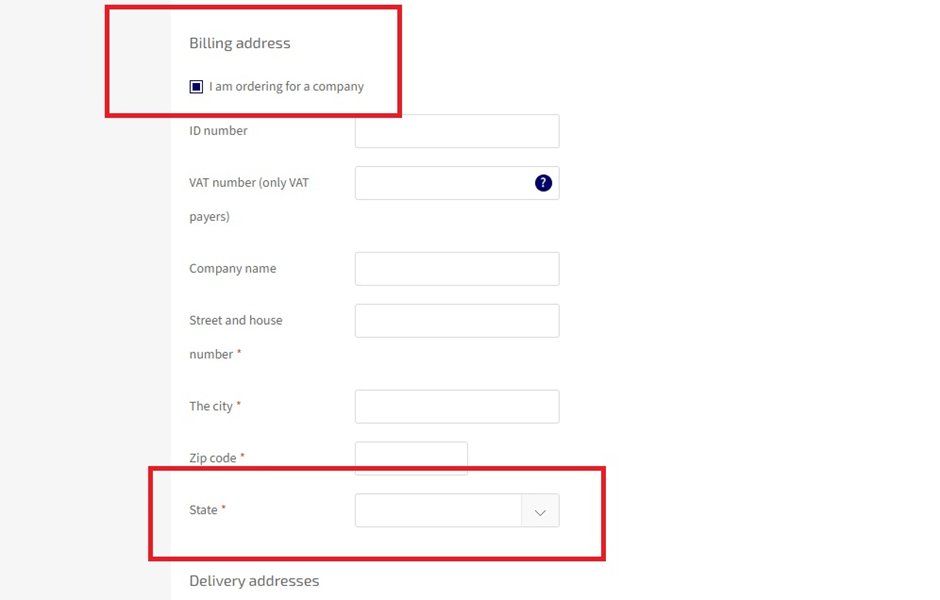
▲ "I am ordering for a company" → ID number, VAT number, Company name, address, State
↓
5
Add delivery address
Under Delivery details, fill in: Name and surname, Company (optional), Street, The city, Zip code, State. Then click TO SEND.
📦 If the delivery address is the same as the billing address, enter it again here.
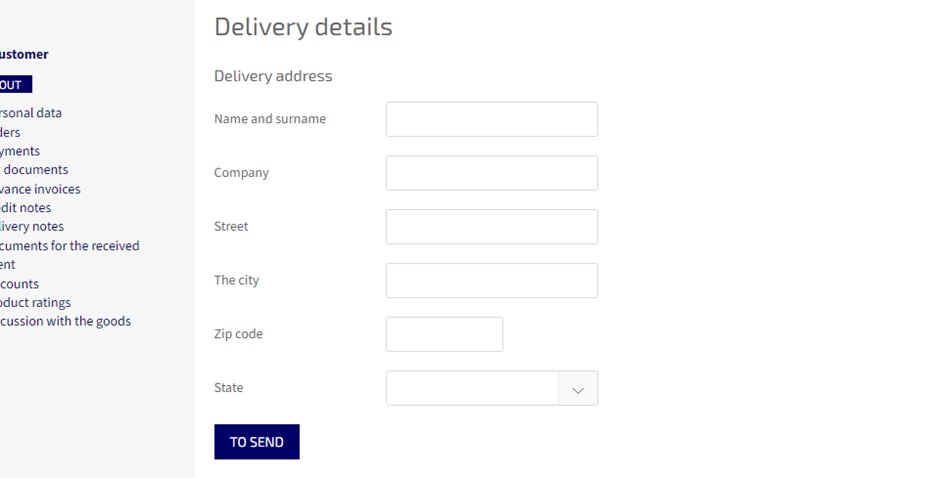
▲ Delivery address → TO SEND
↓
✅
Registration complete!
You are now automatically logged in and ready to order.